







Electric door access control systems are widely used in many places such as commercial buildings, residential communities, and industrial facilities to ensure security and manage access. However, these systems may encounter various failures. Here are some troubleshooting methods.
I. Power-related issues
1. Check the power supply
- First, make sure that the electric door access control system has a stable power supply. Check whether the power outlet is working properly. You can use a test tool such as a multimeter to check whether the voltage of the outlet is within the normal range (usually standard mains voltage, such as 110-120V or 220-240V, depending on the region).
- If it is a battery-backed system, check the battery charge and status. For lead-acid batteries, check the appearance of the battery for bulging, leakage, etc., and measure the battery voltage. If it is lower than the rated voltage, the battery may need to be charged or replaced.
2. Power line inspection
- Check for broken, broken, or loose wires along the power line. Especially near the moving parts of the electric door, the wires are easily damaged by long-term bending and friction. If you find a problem with the wires, you need to repair or replace the damaged part.
- Check the power switch and fuse. Make sure the power switch is on and the fuse is not blown. If the fuse is blown, find out the cause of the blown, which may be a short circuit in the circuit, rather than simply replacing the fuse.
2. Access control card reader failure
1. Card reader connection check
- Check the connection line between the card reader and the control unit. Make sure the line is firmly connected and not loose or disconnected. If it is a card reader using a network connection, check whether the network cable is plugged in and check whether the network status indicator is flashing normally.
- For card readers using wireless connections, check the wireless signal strength. You can use a signal strength detection tool to determine whether the signal between the card reader and the wireless access point is strong enough. If the signal is weak, you can adjust the position of the card reader or wireless access point, or add a wireless signal booster.
2. Card reader function test
- Use a test card (if available) to test the function of the card reader. Hold the test card close to the card reader. If the card reader does not respond, the card reader itself may be faulty. You can try to clean the sensing area of the card reader, as dust or dirt may affect the performance of the card reader.
- If it still does not work properly after cleaning, you may need to replace the card reader. Before replacing the card reader, make sure that the new card reader is compatible with the existing system, including communication protocols, frequencies, etc.
III. Electric door operating mechanism failure
1. Check the mechanical parts of the door
- Check the mechanical parts of the electric door, such as tracks, rollers, hinges, etc. Make sure that there is no debris accumulated on the track, the rollers can rotate freely, and the hinges are not rusted or damaged. If a problem is found in the mechanical parts, it needs to be cleaned, lubricated or replaced.
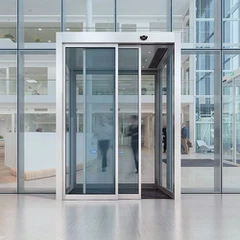
- For sliding doors, check whether the door is aligned on the track. If the door deviates from the track, it may cause the electric door to fail to open or close normally, and the door position needs to be readjusted.
2. Electric door motor inspection
- Check whether the motor is working properly. You can judge by listening to the sound of the motor running. If the motor makes abnormal noise, such as humming or harsh friction, there may be a fault inside the motor, such as bearing damage or winding short circuit.
- Use a multimeter to measure the resistance value of the motor to determine whether the motor winding is normal. If the resistance value is abnormal, the motor may need to be replaced. At the same time, check the heat dissipation of the motor to ensure that the motor has good ventilation to avoid damage due to overheating.
IV. Control system failure
1. Control unit inspection
- Check the status indicator of the control unit. Different indicators may represent different system states, such as power status, communication status, fault status, etc. If a fault indicator is on, refer to the device manual to determine the cause of the fault.
- Restart the control unit. Sometimes, a simple restart can solve some temporary software failures. Before restarting, make sure to record the current system settings to avoid losing important information after restarting.
2. Communication line check
- If the electric door access control system is composed of multiple components and connected through communication lines (such as RS-485, Ethernet, etc.), check whether the communication line is normal. Check whether the communication cable is firmly connected, and use a network test tool (for Ethernet connection) or a communication test device (for other communication lines) to check whether the communication is normal.
- If the communication fails, you may need to check whether the communication protocol is set correctly and eliminate the interference source in the line. For example, for RS-485 lines, make sure that the terminal resistance is set correctly and avoid laying the line parallel to the strong power line to reduce electromagnetic interference.
V. User permissions and software settings issues
1. User permission check
- Check the user's access permission settings. Make sure that the user has the correct permissions to operate the electric door. Sometimes, users may report that they cannot open the electric door, but in fact it is because the permission setting is wrong. User permissions can be viewed and modified through the management software of the access control system.
- For newly added users, make sure that their permissions have been correctly configured in the system and have been synchronized to related devices (such as card readers, control units, etc.).
2. Software setting check
- Check the software settings of the access control system, such as door opening time, alarm settings, etc. If the door opening time is set too short, the electric door may close before the user has completely passed through; if the alarm setting is too sensitive, false alarms may be triggered frequently.
- Make sure the software version is up to date. Software developers may release updated versions to fix known vulnerabilities and improve system performance. If you find a problem with the system, you can check the official website of the software developer to see if there is an update available and follow the instructions to update.
Through the above steps, you can troubleshoot and repair common faults of the electric door access control system to ensure the normal operation of the system and improve safety and convenience.